> For the complete documentation index, see [llms.txt](https://docs.yarnspinner.dev/llms.txt). Markdown versions of documentation pages are available by appending `.md` to page URLs; this page is available as [Markdown](https://docs.yarnspinner.dev/3.1/components/dialogue-view.md).
# Dialogue Presenters
Learn about Dialogue Presenters, which present dialogue content to the user in Yarn Spinner for Unity.
A **Dialogue Presenter** is a component that receives content from a Dialogue Runner, and presents it to the player. Dialogue Views are how the player sees your game's lines of dialogue, and how they select choices in the dialogue.
{% hint style="warning" %}
If you used an earlier version of Yarn Spinner, you may be familiar with Dialogue Views. Dialogue Presenters are the same thing, but renamed. Innovation, baby.
{% endhint %}
A **Dialogue Runner** can have multiple **Dialogue Presenters**. For example, in most situations, you'll have a Dialogue Presenter that's designed to display **lines** of dialogue:
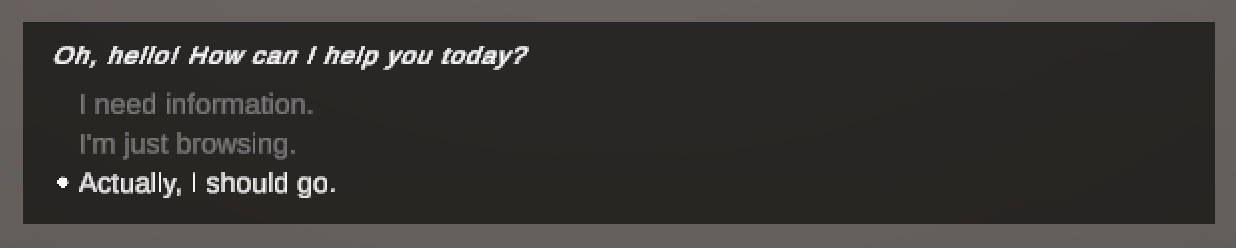
...and another that's in charge of displaying **options** to the player:
{% hint style="warning" %}
If you want a custom Dialogue Presenter that can display Night in the Woods-style speech bubbles, or a Mass Effect style dialogue wheel, then check out our premium [Unity Add-Ons](/3.1/yarn-spinner-for-unity/unity-add-ons.md).
They're a great way to support the project, and get some fancy dialogue views into your game. ❤️
{% endhint %}
Because every game's needs are different, a Dialogue Presenter is designed to be extremely customisable, and you can create your own Dialogue Presenters to suit the needs of your game.
Because there are common patterns of how games work with dialogue, Yarn Spinner for Unity comes with some pre-built **Dialogue Presenters** that handle common use cases:
* **Line Presenter** is a Dialogue Presenter that displays a single line of dialogue in a text box that's inside a canvas, and shows a button that the user can click to proceed.
* **Options Presenter** is a Dialogue Presenter that displays a collection of options in a list.