> For the complete documentation index, see [llms.txt](https://docs.yarnspinner.dev/llms.txt). Markdown versions of documentation pages are available by appending `.md` to page URLs; this page is available as [Markdown](https://docs.yarnspinner.dev/3.1/write-yarn-scripts/advanced-scripting/node-groups.md).
# Node Groups
Learn about using node groups, which allow Yarn Spinner to choose which content to run, depending on conditions.
In Yarn Spinner, you can also create node groups. A **node group** is collection of nodes that share the same name that Yarn Spinner will choose from.
To create a node group, you create multiple nodes that all share the same name, and ensure that each of the nodes have at least one `when:` header.
The `when:`header tells Yarn Spinner about the conditions that must be met in order to run the node:
title: Guard
when: once
---
Guard: You there, traveller!
Player: Who, me?
Guard: Yes! Stay off the roads after dark!
===
title: Guard
when: always
---
Guard: I hear the king has a new advisor.
===
title: Guard
when: $has_sword
---
Guard: No weapons allowed in the city!
===
Node groups are combined into a single node that performs the appropriate checks and then runs one of the node group’s members. You start dialogue with a node group using its name. You can also use the `jump` or `detour` statements to run a node group from somewhere else in your Yarn scripts.
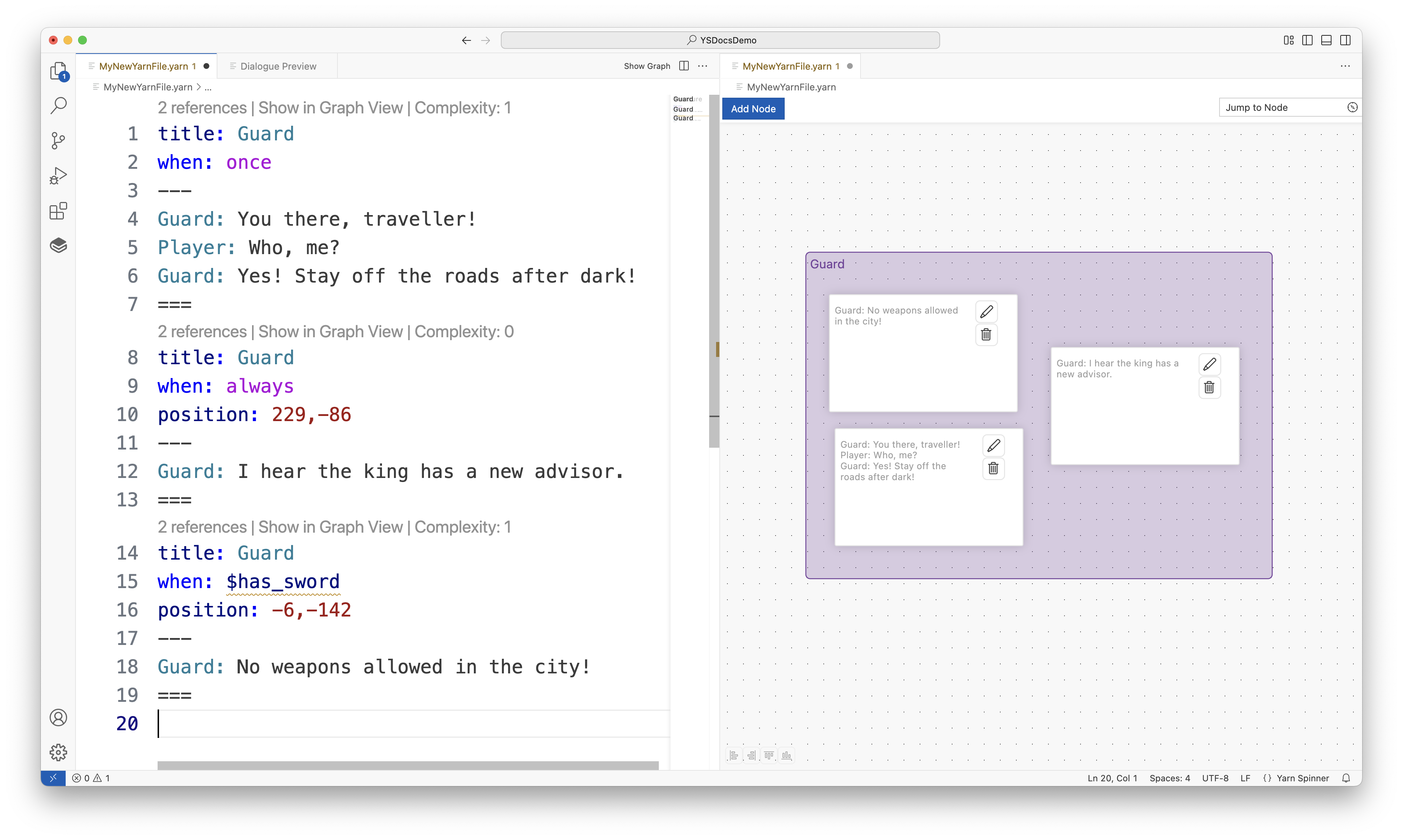
Node groups will be visualised in a box of their own in the Graph View of Yarn Spinner for Visual Studio Code:
Node groups are shown in the Graph View.
{% hint style="info" %}
Node groups are similar to [line groups](/3.1/write-yarn-scripts/scripting-fundamentals/line-groups.md) in their behaviour, but give you more room to create longer passages of content. Your C# code can also check to see how many (if any) nodes can run, which is covered in the Saliency section.
{% endhint %}
You can add as many `when:` headers to a node as you want.
[^1]: this version of the node can only run once
[^2]: this version is the line can run any time
[^3]: this version of the node can only run if the variable `$has_sword` is true