> For the complete documentation index, see [llms.txt](https://docs.yarnspinner.dev/llms.txt). Markdown versions of documentation pages are available by appending `.md` to page URLs; this page is available as [Markdown](https://docs.yarnspinner.dev/write-yarn-scripts/scripting-fundamentals/lines-nodes-and-options.md).
# Nodes and Lines
Learn about nodes and lines in Yarn Spinner scripts.
Yarn Spinner Scripts are built up out of **nodes**. Nodes are where you put your dialogue. You can have as many nodes as you want in a file.
Each node has, at the very minimum, a collection of **headers,** and a **body**. All nodes have at least one header, which is the **title**. The title is the name of the node, and the body contains the Yarn script that contains your game's dialogue.
Nodes are used to separate out parts of the story, and make it easier to manage longer stories and branching.
{% hint style="info" %}
Node headers can contain any number of lines with the structure **`key: value`**. This can be used to store additional information, such as the location the conversation is taking place.
{% endhint %}
The title of a node is important, because your game uses node titles to tell Yarn Spinner which node to start running. You also use the title of a node when you want to jump to another node. Node titles are not shown to the player.
{% hint style="warning" %}
Node titles must start with a letter, and can contain letters, numbers and underscores. Node names cannot contain a `.` (period).
For example, `FirstNode`, `First_Node` and `Node1` are valid, but `First Node`, `First.Node` and `1stNode` are not.
{% endhint %}
The `---` marker indicates where the body begins. After this point, you can put all of your Yarn script.
The `===` marker indicates where the node ends; after this point, you can begin another node.
## Inside a Node
The body of a node (that is, the content between the node start marker `---` and the node end marker `===`) is made up of three different kinds of content: **lines**, **commands**, and **options**.
### Lines
When you write Yarn Spinner dialogue, just about every line of text that you write in a node is a **line**. When a node is run, it runs each line, one at a time, and sends it to your game.
A line of dialogue is just the thing you want some entity or character to say, usually beginning with the name of the entity speaking.
For example, consider the following Yarn Spinner script snippet from *Night in the Woods*:
```
Mae: Well, this is great.
Mae: I mean I didn't expect a party or anything
Mae: but I figured *someone* would be here.
Mae: ...
Mae: Welcome home, Mae.
```
When this code is run in the game, it looks like this:

Yarn Spinner sends each of these lines, one at a time, to the game. The game is responsible for taking the text, and presenting it to the player; in the case of *Night in the Woods*, this means drawing the speech bubble, animating each letter in, and waiting for the user to press a key to advance to the next line.
Lines of dialogue can contain just about any text, except for some special characters that Yarn Spinner uses to add extra information to a line.
If there is a set of characters without spaces before a colon (:) at the beginning of the line, Yarn Spinner will mark that as the name of the character. This information will then be passed to your game, so that you can change the way that lines are shown based on the character who's saying them. For example:
```
This is a line of dialogue, without a character name.
Speaker: This is another line of dialogue said by a character called "Speaker".
```
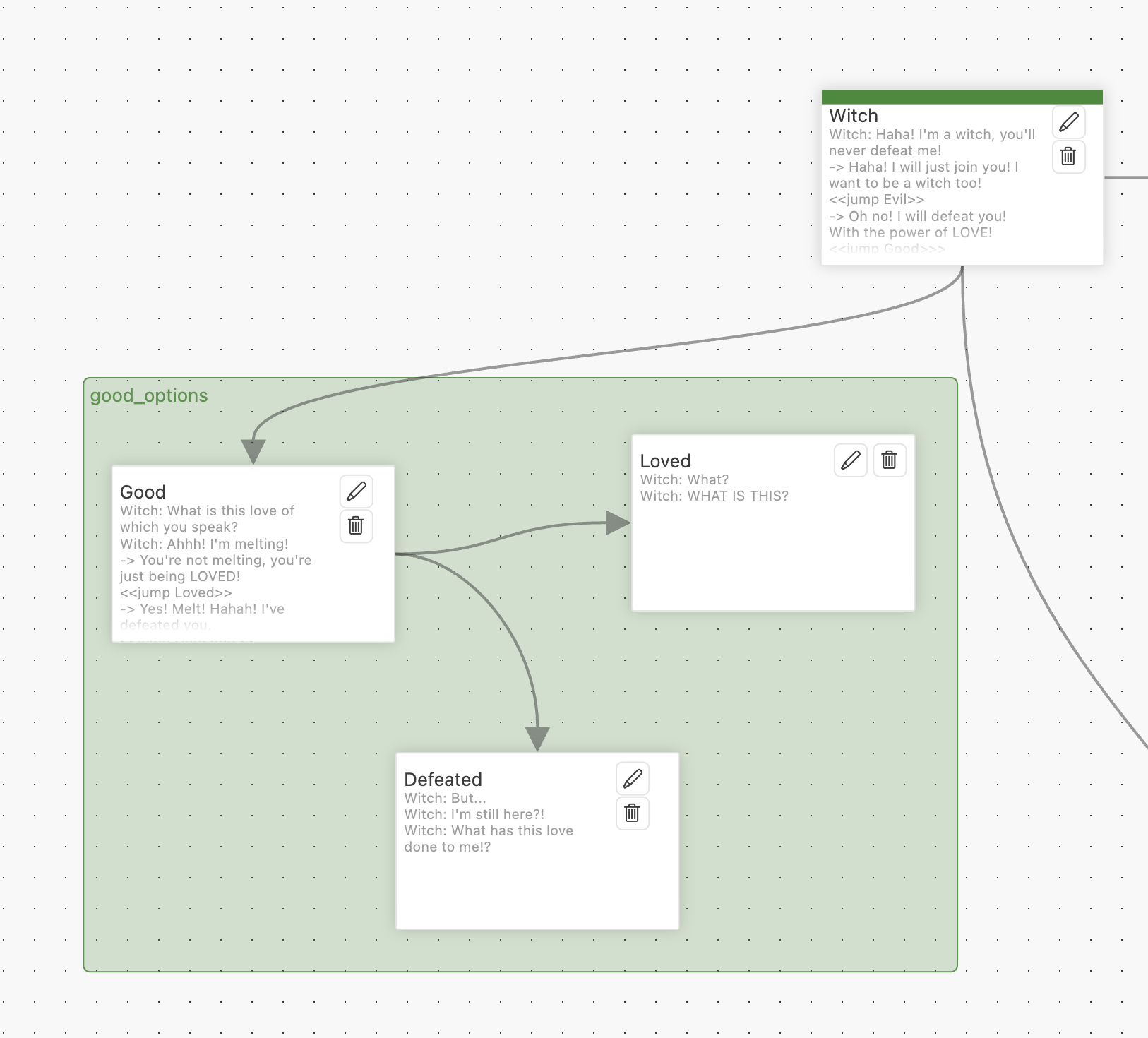
Nodes can also have a `color:` and a `group:` in their header, which specifies what colour the bar at the top a node is shown in, and the group they're gathered in, in the Graph View of the [Yarn Spinner Editor](/write-yarn-scripts/yarn-spinner-editor.md):
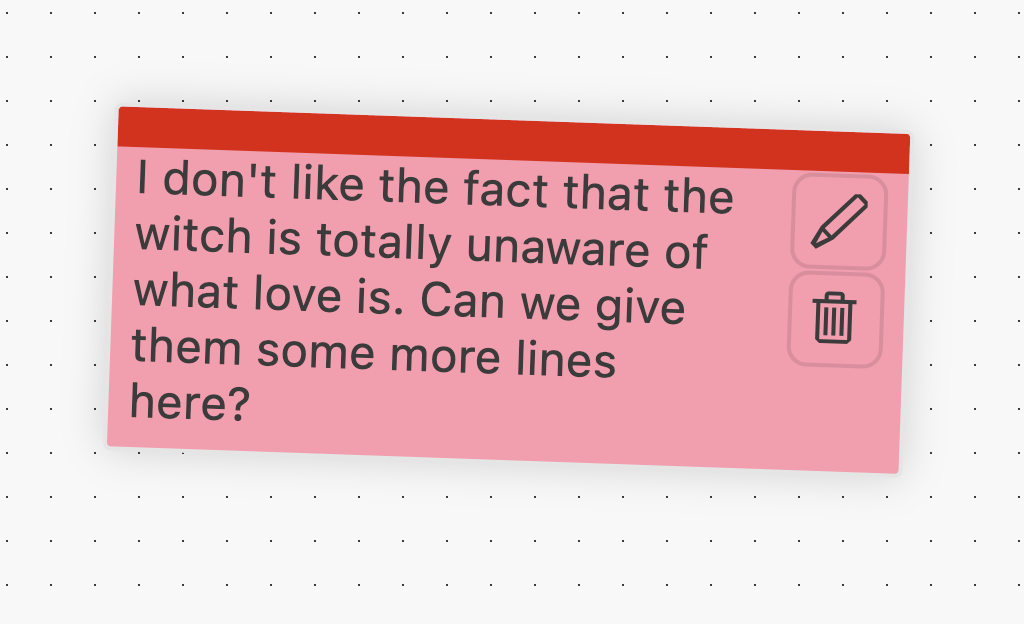
You can also set nodes to be Sticky Notes by adding `style: note` to the node header. This will render the nodes differently in the Graph View of the [Yarn Spinner Editor](/write-yarn-scripts/yarn-spinner-editor.md). The `color:` of the node will be respected too, if one is set, otherwise the Sticky Note will default to yellow:
You can learn more about [Writing Yarn in VS Code](/write-yarn-scripts/yarn-spinner-editor/writing-yarn-in-vs-code.md#customising-the-graph-view) in the [Writing Yarn in VS Code](/write-yarn-scripts/yarn-spinner-editor/writing-yarn-in-vs-code.md) section.
## Write a simple story
{% stepper %}
{% step %}
**Write a story inside a single node using Try Yarn Spinner.**
Use VS Code to write a tiny story of 5 to 10 lines, inside one node.
***
**Here's our story, if you couldn't think of an idea:**
title: Start---
Navigator: The quantum fluctuations are intensifying. We need to jump now.
Captain: But the calculations aren't complete. We could end up anywhere.
Navigator: The wormhole is collapsing. It's now or never.
Captain: Fine. Initiate jump sequence.
Navigator: Something's wrong. We're being pulled backward...
Captain: That's impossible. Unless...
Navigator: We're arriving before we left. We've become our own rescue mission.
===
{% endstep %}
{% step %}
**Play your story the Preview mode inside VS Code**
Use the Command Pallette to Preview your tiny story.
{% endstep %}
{% endstepper %}
[^1]: The header of this node. It contains one `key: value` pair, which is the obligatory title. This node is named `Start`.
[^2]: This is the node start marker. It must be placed on a line of its own after the header.
[^3]: This is the single line inside this node. It's got a character name (`Narrator`) and some dialogue.
[^4]: This is the node end marker. It must be placed on a line of its own after all lines in the node.
[^5]: This is called a **header**. This **header** is the **title**, and it’s always required in each node.
[^6]: This indicates the start of a node's content.
[^7]: This indicates the end of a node.